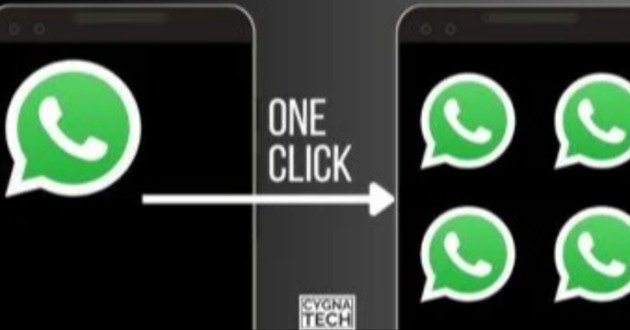
Using multiple WhatsApp accounts on one Android phone can be useful when you want to keep personal, business, family, or other communication accounts separate. MultiSpace and similar app cloning tools are designed to create separate app environments so you can use more than one account on the same device.
However, there is an important distinction between third-party cloning applications and WhatsApp’s built-in multiple-account feature. WhatsApp officially supports multiple accounts on one phone, provided you have separate phone numbers. WhatsApp introduced the ability to keep two accounts logged in at the same time and recommends using the official WhatsApp application rather than modified or imitation versions. (About Facebook)
Android also supports separate profiles and, on some devices, app cloning features. The exact options depend on your phone manufacturer and Android version. (Android Open Source Project)
What Is MultiSpace APK?
MultiSpace APK refers to an application designed to create a separate environment for another copy of an Android application.
Instead of replacing your existing WhatsApp installation, a cloning application can create another app environment where you sign in with a different account.
This concept can be useful for people who need separate accounts for:
Personal communication.
Business communication.
Family communication.
Customer support.
Different projects.
Separate social media identities.
The number of copies you can create depends on the particular application, Android version, and device.
Can You Use Four WhatsApp Accounts On One Phone?
Yes, it can be possible, but the method matters.
WhatsApp officially supports multiple accounts within its application. WhatsApp’s official announcement introduced two accounts logged in simultaneously, with a separate phone number required for each account. (About Facebook)
For four separate WhatsApp instances, Android’s cloning, multiple-profile, or manufacturer-specific app duplication features may provide additional options. Android’s underlying system supports profile-based separation and also defines clone profiles for running separate instances of an application, although complete support depends on device manufacturers. (Android Open Source Project)
Therefore, the claim of “four WhatsApp apps in one phone” should be understood as a device-dependent setup rather than a universal feature available on every Android phone.
Why Use Four WhatsApp Accounts?
Some users need several accounts for practical reasons.
For example, you might use:
One account for personal contacts.
One account for business.
One account for school or work.
One account for another project.
Keeping these accounts separate can make communication easier.
You can also maintain different notification settings and contact lists depending on the method used.
WhatsApp Multiple Accounts Feature
WhatsApp itself now provides a built-in multiple-account feature.
The official setup allows you to add another account inside WhatsApp and switch between accounts without repeatedly logging out. A second phone number and SIM or compatible eSIM setup are required. (About Facebook)
This is generally preferable to using unofficial modified WhatsApp applications.
The built-in feature also lets you manage privacy and notification settings separately for each account. (About Facebook)
How WhatsApp Multiple Accounts Work
The basic process is straightforward.
Open WhatsApp.
Go to Settings.
Tap the account selector next to your name.
Select Add account.
Enter the second phone number.
Complete verification.
Switch between accounts when needed.
The exact menu appearance can vary depending on your WhatsApp version and Android device.
Using MultiSpace For App Cloning
A third-party cloning application works differently.
It creates a separate application environment.
You install or add the application you want to clone.
You open the cloned version.
You sign in using a different account.
The original application remains installed separately.
This approach can be useful when your phone does not provide a suitable built-in cloning feature.
Four WhatsApp Setup Example
Suppose you have four separate phone numbers.
You could organize them as:
WhatsApp Account 1, personal.
WhatsApp Account 2, business.
WhatsApp Account 3, work or education.
WhatsApp Account 4, secondary communication.
Each account needs its own valid phone number for WhatsApp verification.
You should never attempt to bypass WhatsApp’s verification system.
Requirements For Multiple WhatsApp Accounts
Before creating multiple accounts, make sure you have:
An Android smartphone.
Separate phone numbers.
Access to verification codes.
Enough storage space.
A stable internet connection.
Compatible Android software.
A supported WhatsApp version.
If you use a cloning application, you may also need permissions required by that application.
Separate Phone Numbers Are Important
WhatsApp accounts require phone number verification.
A single phone number should not be treated as four independent WhatsApp accounts.
If you want four separate accounts, you generally need four separate phone numbers.
WhatsApp’s official multiple-account announcement specifically states that a second account requires a second phone number and SIM or compatible multi-SIM or eSIM support. (About Facebook)
Dual SIM And eSIM Support
Modern smartphones can make multiple-account management easier.
A phone may support:
Two physical SIM cards.
One physical SIM and one eSIM.
Multiple eSIM profiles, depending on the device.
The exact capabilities vary by manufacturer and model.
Having several numbers does not automatically mean that your phone can run four independent WhatsApp applications.
Android App Cloning
Some Android manufacturers include an app cloning feature.
The feature may have different names depending on the brand.
You might find options such as:
Dual Apps.
App Clone.
Clone Apps.
Parallel Apps.
App Twin.
Multiple Accounts.
These features can create an additional instance of supported applications.
Android Multiple Profiles
Android also supports separate user profiles on supported devices.
Each user profile can have its own applications, accounts, settings, and home screen. (Google Help)
This can provide stronger separation than a basic app-cloning feature.
However, switching between full user profiles can be less convenient than switching between cloned applications.
Android Work Profile
Android Work Profile separates work applications and data from personal applications and data.
Work Profile applications are kept in a separate environment and are commonly identified with a briefcase badge. (Google Help)
This can be useful when you want to maintain separate personal and professional environments.
Work Profile is primarily designed for managed work environments, so it is not necessarily the simplest method for ordinary users who simply want multiple WhatsApp accounts.
Benefits Of Using Multiple WhatsApp Accounts
Multiple accounts can provide several practical benefits.
Better organization.
Separate personal and business communication.
Reduced confusion.
Separate notification settings.
Dedicated customer communication.
Easier account management.
Better separation between different groups of contacts.
For small businesses, separate accounts can also help distinguish customer communication from personal messages.
MultiSpace For Business Users
Business users may find multiple accounts useful.
For example, one number can handle:
Customer inquiries.
Another can handle:
Orders.
A third can handle:
Internal communication.
A fourth can handle:
Marketing or another business function.
This organization can help prevent important conversations from becoming mixed together.
MultiSpace For Teachers
Teachers can also use separate communication accounts.
For example:
One account for personal contacts.
One for students.
One for parents.
One for school administration.
However, schools should establish clear communication policies before teachers use personal devices or accounts for student communication.
MultiSpace For Content Creators
Content creators often maintain multiple social accounts.
A cloned environment can make it easier to separate accounts for different projects.
For example:
Personal brand.
Business brand.
Client account.
Secondary project.
Keeping accounts separate can simplify notifications and login management.
Advantages Of App Cloning
App cloning can provide:
Separate login sessions.
Independent application data.
Quick account switching.
Convenient access.
Better organization.
Less need for multiple phones.
Android’s profile architecture supports application separation, with apps in different profiles generally maintaining separate data. (Android Open Source Project)
Potential Disadvantages
Running multiple instances can also create problems.
Higher storage usage.
Higher RAM usage.
Increased battery consumption.
More notifications.
More background activity.
Possible compatibility issues.
Some cloned applications may not work correctly.
The exact impact depends on your phone and the cloning solution.
Storage Requirements
Four copies of a messaging application can require additional storage.
The application itself may not be the biggest issue.
Media files can consume much more space.
Photos.
Videos.
Voice messages.
Documents.
Stickers.
Chat backups.
If all four accounts receive large amounts of media, storage usage can increase rapidly.
Regularly review WhatsApp storage settings and remove unnecessary files.
RAM And Performance
Multiple application instances may require additional memory.
If your phone has limited RAM, you may notice:
Apps reloading.
Slower switching.
Background apps closing.
Delayed notifications.
Reduced gaming performance.
For a smoother experience, avoid running unnecessary applications in the background.
Battery Consumption
Four active messaging environments can generate additional notifications and background activity.
This can increase battery usage.
If battery life becomes a problem, review:
Background activity.
Battery optimization.
Notification settings.
Automatic media downloads.
Unused cloned applications.
Notification Management
Four WhatsApp accounts can produce many notifications.
This can quickly become difficult to manage.
Use separate notification sounds or notification settings where possible.
For example:
Personal account, one tone.
Business account, another tone.
Work account, another tone.
Secondary account, another tone.
This helps you identify the account without opening every notification.
Privacy Considerations
Multiple WhatsApp accounts contain sensitive conversations.
Protect each account with appropriate security settings.
Use:
Screen lock.
WhatsApp app lock where available.
Two-step verification.
Strong device security.
Careful notification settings.
Avoid sharing verification codes.
Never give your WhatsApp verification code to another person.
Avoid Modified WhatsApp Versions
Unofficial WhatsApp modifications may advertise features such as unlimited accounts, additional themes, hidden status features, or enhanced privacy controls.
These versions can create security and account risks.
WhatsApp itself advises users to use the official WhatsApp application and avoid imitation versions. (About Facebook)
For important conversations, the official application is the safer choice.
MultiSpace APK Vs Official WhatsApp
There is an important difference.
Official WhatsApp multiple accounts are integrated into the official application.
MultiSpace-style cloning tools create separate application environments.
The official approach generally provides a cleaner experience when it meets your needs.
A cloning solution may be useful when your phone or application setup requires additional separation.
MultiSpace APK Vs Built-In Dual Apps
Built-in cloning features are integrated by the phone manufacturer.
They may provide better compatibility with the device.
Third-party cloning applications can provide additional flexibility.
However, third-party apps may require additional permissions and may consume more resources.
If your phone already includes a reliable app-cloning function, it is usually worth considering before installing another cloning application.
How To Set Up Multiple WhatsApp Accounts Safely
Start with the official WhatsApp application.
Check whether the multiple-account feature is available.
If you need additional instances, check whether your phone includes a built-in app-cloning function.
Use separate phone numbers.
Verify every account normally.
Enable two-step verification.
Configure separate notifications.
Keep WhatsApp updated.
Avoid unofficial modified versions.
How To Keep Four Accounts Organized
Give each account a specific purpose.
For example:
Account 1, family.
Account 2, business.
Account 3, education.
Account 4, secondary work.
Avoid using every account for everything.
Clear account roles make it easier to manage conversations and notifications.
Common Problems With Multiple WhatsApp Accounts
Notifications Do Not Arrive
Check notification permissions, battery restrictions, and background activity.
Cloned WhatsApp Stops Working
Check whether the cloning application is compatible with your Android version.
Phone Becomes Slow
Reduce the number of active cloned applications and close unnecessary background apps.
Storage Becomes Full
Review WhatsApp media and remove unnecessary files.
Verification Problems
Make sure you have access to the phone number and verification code associated with the account.
Messages Are Mixed Up
Use clearly separated accounts and avoid confusing cloned application icons.
Can Four WhatsApp Accounts Work At The Same Time?
They may work simultaneously depending on the phone, Android version, WhatsApp configuration, and cloning method.
There is no universal guarantee that every Android phone can run four independent WhatsApp instances reliably.
Android supports different forms of profile and application separation, but device manufacturers decide which features they expose to users. (Android Open Source Project)
Does MultiSpace Need Internet?
WhatsApp itself requires an internet connection to send and receive messages.
The cloning application may not require a separate internet connection for the cloning process itself, but each WhatsApp instance needs network access to function normally.
Wi-Fi or mobile data can be used.
Can I Use Four WhatsApp Accounts With One SIM?
Four independent WhatsApp accounts generally require four separate phone numbers.
WhatsApp’s official multiple-account feature requires a second phone number for a second account. (About Facebook)
A cloning application does not remove WhatsApp’s phone-number verification requirement.
Can I Use Four WhatsApp Accounts On Any Android Phone?
No.
The ability to run multiple instances depends on:
Android version.
Device manufacturer.
RAM.
Storage.
WhatsApp compatibility.
Cloning technology.
Some phones provide built-in app cloning, while others require alternative methods.
Is MultiSpace Safe?
Safety depends on the specific application and the permissions it requests.
Before installing any third-party cloning application, examine its developer information, permissions, privacy practices, update history, and user feedback.
Avoid downloading unknown modified APK files from unreliable sources.
Should You Use MultiSpace Or Official WhatsApp?
For most users, start with WhatsApp’s official multiple-account feature.
It is designed specifically for managing multiple accounts and does not require an unofficial modified version of WhatsApp. (About Facebook)
If you need additional app instances, check whether your phone provides a built-in cloning or profile feature.
Use third-party cloning tools only when you understand their permissions and limitations.
Frequently Asked Questions
Can I use four WhatsApp accounts on one phone?
It may be possible using a combination of WhatsApp’s multiple-account feature, device app cloning, or Android profiles. The exact number of simultaneous instances depends on your device and software.
How many WhatsApp accounts can I officially use?
WhatsApp officially introduced support for two accounts logged in simultaneously. Each account requires a separate phone number. (About Facebook)
Can MultiSpace create multiple WhatsApp apps?
Cloning applications can create separate instances of supported applications, but the number that works reliably depends on the specific cloning app and Android device.
Do I need different numbers for four WhatsApp accounts?
Yes. Separate WhatsApp accounts require separate phone numbers for verification.
Can I use four WhatsApp accounts with two SIM cards?
Two SIM cards provide two phone numbers. Additional verified numbers may require other supported SIM or eSIM arrangements. Running four instances is also dependent on your device and software.
Is MultiSpace the same as WhatsApp multiple accounts?
No. WhatsApp multiple accounts is an official feature inside WhatsApp. MultiSpace-style tools provide a separate app-cloning environment.
Is WhatsApp cloning safe?
Using official WhatsApp and supported device features is generally preferable to installing modified WhatsApp versions. Third-party cloning tools should be evaluated carefully before use.
Can I receive notifications from multiple WhatsApp accounts?
Yes, multiple active accounts or instances can generate notifications, although notification behavior depends on the Android device and application setup.
Will four WhatsApp accounts slow down my phone?
They can. Multiple active instances may use additional RAM, storage, battery, and background resources.
Can I use MultiSpace for Facebook and Instagram too?
Many cloning applications support several social and communication applications. Support varies by application and Android version.
Can I use multiple WhatsApp accounts for business?
Yes. Separate accounts can help organize customer, personal, and business communication.
Should I use a modified WhatsApp APK for four accounts?
No. Use the official WhatsApp application and legitimate Android features whenever possible. WhatsApp specifically advises users to avoid imitation versions. (About Facebook)
What is the best alternative to MultiSpace?
Your phone’s built-in app-cloning feature or Android’s supported profile features may be better options when available. Android supports work profiles and other forms of application separation. (Google Help)
Can Android run two copies of the same app?
Android supports profile-based separation and defines clone profiles for separate app instances, although complete clone support depends on device manufacturers. (Android Open Source Project)
Can I use WhatsApp on multiple devices?
Yes. WhatsApp supports linked devices, allowing an account to be used across a phone and additional companion devices. (Engineering at Meta)
Final Thoughts
Using four WhatsApp accounts on one Android phone can be useful for people who need clear separation between personal, business, education, and other communications.
MultiSpace-style applications can provide app cloning, but they are not the same as WhatsApp’s official multiple-account feature. WhatsApp officially supports multiple accounts within its application, while Android and some phone manufacturers provide additional profile and cloning capabilities. (About Facebook)
Before trying to run four WhatsApp instances, check your phone’s built-in cloning features and the official WhatsApp multiple-account option. Use separate phone numbers, keep your applications updated, protect your accounts, and avoid unofficial modified WhatsApp versions.
The best setup is the one that gives you reliable account separation without compromising your device’s performance, privacy, or security.



