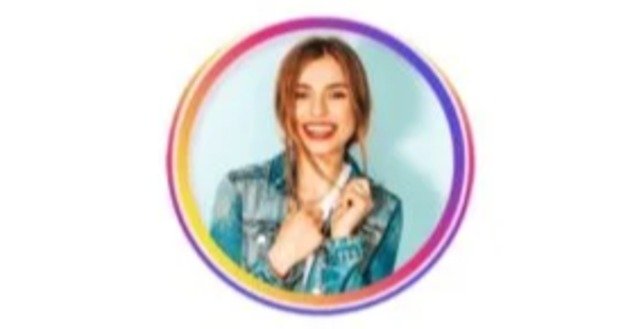
Profile Picture Border Frames APK is a photo personalization application designed to help Android users create attractive profile pictures with decorative borders, frames, colors, backgrounds, and creative effects. These tools can be useful when you want to give a regular selfie or photograph a more polished appearance for social media profiles.
The application allows you to select a photograph, adjust its position, choose a frame, customize the appearance, preview the result, and save the finished profile picture. The available feature set includes decorative frames, background options, colors, drip effects, cropping, resizing, and an eraser tool. (Google Play)
What Is Profile Picture Border Frames APK?
Profile Picture Border Frames is an Android photography application focused on creating customized display pictures.
Instead of using a plain photograph as your profile picture, you can place it inside a decorative design. You can choose different frame styles, change colors, add backgrounds, and adjust the photograph before saving it.
The app can be useful for profile pictures on messaging and social media platforms.
Main Features Of Profile Picture Border Frames
The application provides several editing options.
Decorative profile frames.
Circular profile picture designs.
Gradient colors.
Background patterns.
Neon effects.
Gold frames.
Love-themed frames.
Flower designs.
Badge-style frames.
Text-based frames.
Drip effects.
Image cropping.
Image resizing.
Background removal.
Manual eraser.
Preview function.
Save and share options.
The current Google Play listing also describes offline accessibility for several functions. (Google Play)
Profile Picture Frames
Frames are the main attraction of the application.
You can choose a design that matches your photograph or personal style.
Available frame categories include designs such as gold, love, neon, flowers, badges, text, and wall-style patterns. (Google Play)
This gives you different options for creating casual, colorful, romantic, professional, or decorative profile pictures.
Circular Profile Pictures
Many social platforms display profile photographs in circular formats.
A circular crop can help you prepare an image before uploading it as a display picture.
You can adjust the photograph inside the circular area and make sure the important part of the image remains visible.
This is especially useful for portraits where the face needs to remain centered.
Background Removal
The application includes an automatic background removal feature.
After selecting and cropping an image, the application can identify the main subject and remove the background. You can then place the subject into a profile picture design. (Google Play)
This can be useful for portraits, selfies, and photographs where you want to replace a distracting background.
Manual Eraser Tool
Automatic background removal may sometimes leave unwanted areas.
The eraser tool allows you to manually remove parts of the image.
This gives you more control over the final composition.
You can clean areas around the subject and correct small imperfections after using automatic background removal.
Background Options
The application also provides different background choices.
You can use patterns, colors, or other available background designs behind your photograph.
A suitable background can make the subject more visible and improve the overall appearance of the profile picture.
Color Customization
Color customization allows you to change the appearance of your design.
You can experiment with different colors for backgrounds and other visual elements.
Solid colors can create a clean appearance.
Gradients can create a more modern look.
The right color should complement the photograph rather than distract from the subject.
Gradient Profile Frames
Gradient frames combine multiple colors within one border.
They can create a colorful appearance around a profile picture.
You can use bright gradients for social media profiles or softer gradients for a more professional look.
Some versions of profile border applications also provide customizable gradient controls and color selection. (Google Play)
Neon Frames
Neon borders can give profile pictures a bright and modern appearance.
They work particularly well with:
Night photographs.
Gaming profiles.
Teen social profiles.
Dark backgrounds.
Creative portraits.
Neon colors can include combinations of blue, pink, purple, green, and other bright shades.
Gold Frames
Gold frames can give a profile photograph a more formal appearance.
They can work well for:
Celebration photographs.
Wedding pictures.
Family portraits.
Special occasions.
Professional profile images.
A simple gold border can also work well when you want the photograph to remain the main focus.
Love Frames
Love-themed frames are designed for romantic or personal photographs.
They may include heart shapes, romantic colors, and decorative patterns.
You can use these designs for couple photographs, anniversary pictures, Valentine’s Day content, or personal profile images.
Flower Frames
Flower designs provide a decorative option for profile pictures.
They can work well with outdoor portraits, family photographs, and colorful selfies.
Choose a frame that complements the colors already present in the photograph.
Badge Frames
Badge-style designs can create a distinctive profile picture.
They can be useful when you want your photograph to look more like a designed graphic rather than a simple portrait.
These frames can also work well for event photographs and social media campaigns.
Text Frames
Text-based frames can combine words or decorative lettering with your photograph.
This can be useful for:
Names.
Short messages.
Events.
Celebrations.
Personal branding.
You should keep text short so that it remains readable when the image appears as a small profile picture.
Drip Effects
Drip effects add colorful or artistic shapes around the photograph.
The application describes dripart, picture art, and solid-color options for creating these designs. (Google Play)
These effects can give profile pictures a more creative appearance.
They may work particularly well for gaming profiles, youth-oriented social accounts, and artistic photographs.
Photo Cropping
Cropping lets you remove unwanted areas from the original photograph.
A good crop keeps the main subject visible and removes unnecessary background space.
For profile pictures, keep the face or main subject within the central area.
Photo Resizing
Resizing allows you to adjust the photograph so that it fits correctly inside the selected frame.
Proper positioning prevents important facial or visual details from being cut off.
You can zoom and reposition the image before applying the final design.
Preview Feature
The preview feature lets you check the final appearance before saving.
You can compare different frames and effects.
This helps you decide whether the border is too thick, the colors are too bright, or the photograph needs repositioning.
Save And Share
After completing your design, you can save the finished image to your device.
The application also provides sharing functionality for sending the completed profile picture to social platforms or other applications. (Google Play)
You can therefore create the image and immediately prepare it for use as a profile picture.
How To Create A Profile Picture
Open the application.
Select a photograph from your gallery or capture one with the camera.
Crop and resize the photograph.
Choose a profile frame.
Adjust the photograph inside the frame.
Select a background if required.
Change colors if necessary.
Apply additional effects.
Use the eraser for unwanted areas.
Preview the final design.
Save the image.
You can then use the saved image as your profile picture.
How To Make A WhatsApp DP
Choose a clear portrait.
Crop the image into a suitable shape.
Select a simple border.
Position your face in the center.
Choose a suitable background.
Adjust the border color.
Preview the result.
Save the image.
Upload the finished photograph as your WhatsApp display picture.
A simple border often works better because profile images appear relatively small.
How To Make A Facebook Profile Picture
Select your photograph.
Choose a frame.
Adjust the image position.
Apply a suitable background.
Check the circular composition.
Preview the result.
Save the image.
Upload the final image to your Facebook profile.
Make sure the important part of your photograph remains inside the visible circular area.
How To Make An Instagram Profile Picture
Select a high-quality portrait.
Use a circular crop.
Choose a border that matches your profile theme.
Adjust the image size.
Position the face in the center.
Avoid overly complicated designs.
Preview the final result.
Save the profile picture.
A clean frame can make the photograph easier to recognize.
Profile Picture Border Frames For Social Media
The application is useful for users who want customized profile pictures across different platforms.
You can create different versions for:
WhatsApp.
Instagram.
Facebook.
TikTok.
Messenger.
Telegram.
Other social profiles.
You can choose different designs depending on the platform and your personal style.
Profile Picture Border Frames For Business Profiles
Businesses can also use profile borders for promotional campaigns.
For example, a business can create a profile picture with:
Brand colors.
A simple border.
A campaign message.
A seasonal design.
A logo.
A professional photograph.
Keep business profile designs clean and readable.
Profile Picture Border Frames For Events
Event organizers can use profile borders to promote an occasion.
Possible uses include:
School events.
Sports competitions.
Weddings.
Birthdays.
Community events.
National celebrations.
Fundraising campaigns.
Participants can use a common border to create a consistent visual identity.
Profile Picture Border Frames For School Activities
Schools can create themed profile pictures for special events.
For example, students and teachers can use matching borders during:
Independence Day.
Sports Day.
Annual functions.
Result celebrations.
Educational campaigns.
School anniversaries.
A consistent design can make school social media posts easier to recognize.
Offline Accessibility
The current application description states that users can access the app offline without requiring a constant internet connection. (Google Play)
This can be useful when you are editing photographs without an active internet connection.
Online-dependent functions may still behave differently depending on the current version and feature.
Android Compatibility
Third-party APK information lists Android 7.0 or newer for version 1.0.2 of the NR Vision Studio version of the application. (APKPure.net)
Compatibility can vary between different applications using the same or similar name.
Check the package name and Android requirements before installing an APK.
Profile Picture Border Frames APK Size
Third-party APK information lists version 1.0.2 of the NR Vision Studio application at approximately 47.3 MB. (APKPure.net)
Another application using the same name has a different package and file size.
This matters because several Android applications use the name Profile Picture Border Frames.
Always check the developer and package name before installing.
Different Apps With Similar Names
There are multiple Android applications called Profile Picture Border Frames.
One current Google Play version is published by NR Vision Studio. (Google Play)
Another is published under Photo Collage Photo Editor and has more than 500,000 downloads. (Google Play)
Another version comes from Kaviya Infotech and focuses on borders, gradient rings, neon frames, outlines, and customizable colors. (Google Play)
Therefore, users should not assume that every APK with this title represents the same application.
Benefits Of Profile Picture Border Frames
The application can provide several practical benefits.
It gives ordinary photographs decorative borders.
It provides different frame categories.
It supports background customization.
It includes automatic background removal.
It provides a manual eraser.
It supports color customization.
It offers drip effects.
It provides preview functionality.
It allows users to save finished images.
It supports sharing.
It can simplify profile picture creation for beginners.
Limitations Of Profile Picture Border Frames
There are also some limitations.
The exact number of frames can vary between versions.
Some designs may contain advertisements.
AI or automatic background removal may make mistakes.
Complex photographs can require manual cleanup.
Some features may depend on the particular version you install.
Applications with the same name can have different developers and features.
You should therefore check the application details before installation.
How To Get Better Results
Use a clear photograph.
Keep the face centered.
Choose a border that matches the image.
Avoid extremely thick borders.
Use contrasting colors carefully.
Keep the background simple.
Check the edges after background removal.
Use the eraser for small corrections.
Preview the image before saving.
Avoid excessive effects.
Common Problems
Users may encounter problems such as:
Background removal errors.
Slow image processing.
Missing frames.
Export problems.
Application crashes.
Storage errors.
Compatibility problems.
These issues can result from the application version, device hardware, storage availability, or Android compatibility.
Background Removal Not Working
If automatic background removal does not produce a clean result, try using a photograph with a clear separation between the subject and background.
Good lighting can also improve subject detection.
After automatic removal, use the eraser tool to clean unwanted areas.
Image Not Saving
Check your device storage.
Make sure the application has appropriate access to photos and media.
Restart the application.
Try exporting another image.
If the problem continues, update the application or reinstall it from a trusted source.
Frame Not Appearing
Restart the application.
Check whether the frame requires additional content.
Make sure the application is updated.
Try another frame category.
Some designs may depend on the specific application version.
Is Profile Picture Border Frames Free?
Several applications with this name are available as free downloads, although advertisements or optional purchases may be included depending on the developer and version.
The exact pricing structure can vary.
Check the application’s current listing before assuming that every frame or feature is free.
Is Profile Picture Border Frames Safe?
Safety depends on the exact application and where you obtain it.
The current Google Play listing for the NR Vision Studio version states that it may share photos and videos, files and documents, and device or other IDs with third parties. It also states that data is not encrypted and cannot be deleted according to the developer’s current declaration. (Google Play)
Review permissions and privacy information before giving an application access to personal photographs.
Should You Download A Modified APK?
A modified APK can introduce additional risks because its code may differ from the original application.
Avoid modified packages that promise unlocked paid features.
Use a trusted source.
Check the developer.
Check the package name.
Check the version.
Review permissions before installation.
Frequently Asked Questions
What is Profile Picture Border Frames APK?
It is an Android photo editing application designed to create profile pictures with decorative frames, borders, colors, backgrounds, and effects.
Can I add a border to my profile picture?
Yes. Adding decorative borders is the application’s primary purpose.
Can I remove the photo background?
Yes. The NR Vision Studio version includes automatic background removal and a manual eraser tool. (Google Play)
Can I change the border color?
Yes. Color customization is available, including solid and gradient options in the listed feature set. (Google Play)
Does the app have neon frames?
Yes. Neon is among the frame styles described by the developer. (Google Play)
Does it have drip effects?
Yes. The application includes drip-style effects and related picture-art options. (Google Play)
Can I use it for WhatsApp DP?
Yes. You can create a framed image and use the saved result as your WhatsApp display picture.
Can I use it for Instagram?
Yes. A framed and properly cropped image can be used as an Instagram profile picture.
Can I use it for Facebook?
Yes. You can create a profile picture with a border and upload the resulting image to Facebook.
Does it work offline?
The NR Vision Studio listing states that the application supports offline accessibility. (Google Play)
What Android version does it require?
Version 1.0.2 of the NR Vision Studio application is listed for Android 7.0 and newer. (APKPure.net)
Are there different apps with the same name?
Yes. Multiple developers publish applications using the Profile Picture Border Frames name. Their features, package names, versions, and privacy practices can differ. (Google Play)
Can I save the finished profile picture?
Yes. The application provides a save option for completed designs. (Google Play)
Can I share my finished profile picture?
Yes. The application provides sharing functionality after creating the framed image. (Google Play)
Can beginners use Profile Picture Border Frames?
Yes. The application is designed around a straightforward editing process and does not require advanced photo editing knowledge.
How can I make a professional profile picture?
Use a clear photograph, choose a simple frame, keep the face centered, use balanced colors, and avoid excessive effects.
Final Thoughts
Profile Picture Border Frames APK provides a simple way to customize profile photographs with borders, frames, colors, backgrounds, circular crops, and creative effects.
The NR Vision Studio version includes decorative frame categories, automatic background removal, an eraser, color options, drip effects, preview tools, saving, and sharing. (Google Play)
The most important point is to identify the exact application before downloading. Several apps use the same or very similar name, and their developers, features, package names, and privacy practices differ. (Google Play)



