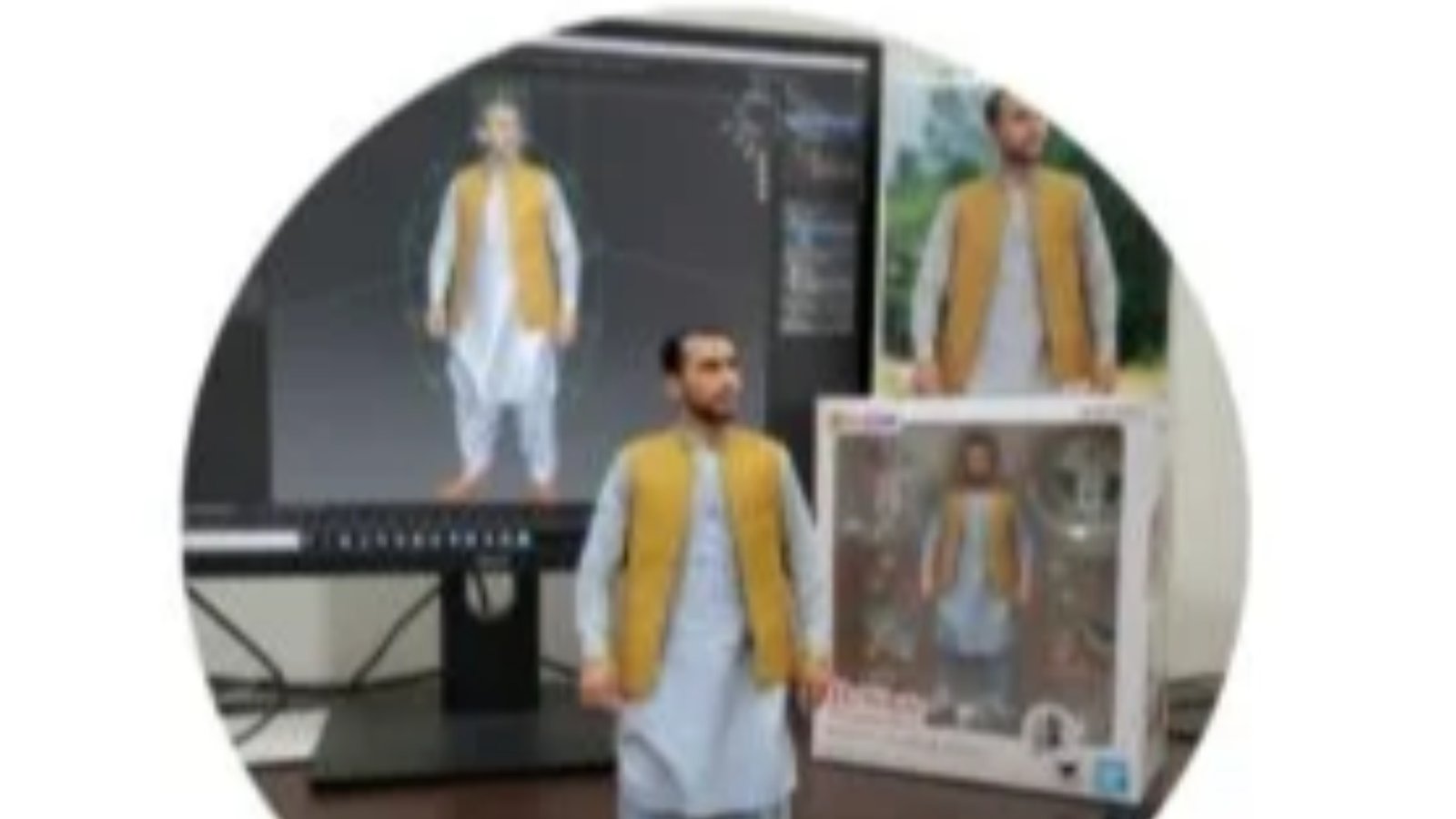
AI photo editing has changed the way people create, improve, and transform pictures. Traditional photo editors require users to understand tools, layers, filters, masks, brushes, and adjustment controls. Google Gemini is moving toward a simpler approach. Users can describe the desired change in natural language and let AI perform the editing.
Google’s Gemini image editing technology has become closely associated with Nano Banana, Google’s image generation and editing models. The technology can edit existing photos, combine multiple images, change backgrounds, apply visual styles, add objects, and make targeted changes while attempting to preserve important details of the original image. (blog.google)
The latest generation has expanded these capabilities further. Google describes Nano Banana 2 as a state of the art image model that can transform image atmosphere, adjust camera perspectives, apply styles from reference images, resize creations, and generate designs containing text. (Gemini)
This makes Gemini useful for students, teachers, content creators, photographers, social media users, marketers, designers, and ordinary smartphone users who want quick photo improvements without learning complicated editing software.
What Is AI Photo Google Gemini?
AI Photo Google Gemini refers to the image creation and editing capabilities available through Google’s Gemini ecosystem.
Instead of relying only on traditional editing controls, Gemini allows you to describe what you want to change.
For example, you can provide a photograph and ask Gemini to:
Change the background.
Remove an unwanted object.
Improve the overall appearance.
Change clothing.
Modify lighting.
Combine two photographs.
Create a different artistic style.
Change the environment.
Turn a photograph into a figurine style.
Create a poster from an image.
Adjust the composition.
The system interprets the instruction and generates an edited image.
Google introduced upgraded native image editing in Gemini with a focus on maintaining the likeness of people and pets across edits. It also introduced multi-image blending and multi-turn editing, allowing users to continue refining an image through additional prompts. (blog.google)
What Is Nano Banana?
Nano Banana is the name Google uses for its Gemini image generation and editing technology.
Google introduced Nano Banana as an image editing model integrated into Gemini. The technology allows users to upload an image and describe changes using prompts. (blog.google)
The technology has continued to evolve.
Google’s current Gemini image generation page presents Nano Banana 2 as its latest image model. It provides tools for detailed image transformations, style changes, resizing, text generation, and creative editing. (Gemini)
The name Nano Banana became popular because of the unusual branding Google used for the image model. However, the important point for users is its functionality. It allows you to communicate with an image editor through natural language.
How Gemini AI Photo Editing Works
The process is simple.
First, open Gemini.
Select the image creation or editing option.
Upload a photograph if you want to edit an existing image.
Write a clear prompt.
Tell Gemini exactly what you want changed.
Review the generated result.
Continue editing if necessary.
The current Gemini interface provides access to Nano Banana through the image creation tools. Google explains that users can select “Create images” from the tools menu, choose an available model, and then provide a prompt or upload an image for editing. (Gemini)
The biggest advantage is that you do not necessarily need to understand complicated editing terminology.
You can describe the result you want in ordinary language.
Natural Language Photo Editing
Traditional editing applications often require specific actions.
You might need to select a brush.
Create a mask.
Adjust exposure.
Change saturation.
Use a clone tool.
Resize the image.
Move objects manually.
AI editing changes this workflow.
You can simply describe the desired result.
For example:
“Change the background to a modern classroom.”
“Make the sky look like sunset.”
“Remove the person standing behind me.”
“Change my shirt to a formal black suit.”
“Make this look like a professional studio portrait.”
“Turn this photo into a cartoon style.”
The AI interprets the prompt and attempts to make the requested changes.
This approach makes advanced editing more accessible to people who have little experience with professional editing software.
Main Features of Gemini AI Photo Editing
Background Replacement
Background replacement is one of the most useful AI editing functions.
You can upload a photograph and describe a new environment.
For example, you can replace a simple background with:
A classroom.
A modern office.
A mountain landscape.
A beach.
A city street.
A professional studio.
A football stadium.
A historical setting.
The subject can remain the central focus while the surrounding environment changes.
Google has specifically demonstrated the ability to change the background of a room while preserving the main subject. (blog.google)
Object Removal
Unwanted objects can reduce the quality of a photograph.
You may have a person in the background.
There may be a distracting sign.
A cable may appear across the image.
An unwanted object may occupy part of the frame.
AI editing can attempt to remove these elements.
Instead of manually selecting the object and using several editing tools, you can describe what you want removed.
The quality of the result depends on the complexity of the image.
Simple backgrounds usually make object removal easier.
Object Addition
Gemini can also add elements to an image.
You can request a new object, accessory, decoration, or visual element.
For example:
“Add a wooden desk beside me.”
“Put a laptop on the table.”
“Add flowers to the background.”
“Place a football beside the player.”
The AI generates the requested object and attempts to integrate it into the existing scene.
Changing Clothes
One of the interesting applications of Gemini image editing is clothing transformation.
Google has demonstrated the ability to change the clothing of people while maintaining their appearance. (blog.google)
You can experiment with:
Formal suits.
Traditional clothing.
Casual outfits.
Sports uniforms.
Historical clothing.
Professional uniforms.
Fashion styles.
This can be useful for creative projects, concept images, social media content, and design experiments.
Maintaining Character Appearance
AI image editing can sometimes change a person’s face or identity when generating a new image.
Google specifically focused on improving likeness consistency in its Gemini image editing updates. The company says the system is designed to maintain a person’s or pet’s appearance across different edits and scenarios. (blog.google)
This is important for users who want to edit their own photographs.
For example, you can change the environment without completely changing your face.
You can also continue editing the same image through multiple prompts.
However, AI systems can still make mistakes. You should inspect important images carefully before publishing them.
Combining Multiple Photos
Gemini can combine multiple uploaded images into a new composition.
For example, you could provide:
Your photograph.
A friend’s photograph.
A pet photograph.
A background image.
A product image.
The system can attempt to combine these elements into one scene.
Google specifically highlights multi-image blending as one of the image editing capabilities available through Gemini. (blog.google)
This can be useful when creating group pictures, creative posters, product concepts, or social media graphics.
Multi-Turn Editing
One of the most useful features is the ability to continue working on an image.
You do not have to create a new image every time.
You can start with one request.
Then make another change.
Then refine the result again.
For example:
“Create a professional portrait.”
Then:
“Change the background to an office.”
Then:
“Make the lighting warmer.”
Then:
“Add a laptop to the desk.”
Then:
“Make the image suitable for a professional profile.”
Google describes this as multi-turn editing. The user can continue modifying an image while preserving other parts of the composition. (blog.google)
Style Transfer
Style transfer allows you to change the visual appearance of an image.
You can use another image as a reference.
For example, you can request:
Watercolor style.
Oil painting style.
Comic style.
Vintage photography.
Retro design.
Minimalist poster style.
3D figurine appearance.
Google’s current Nano Banana 2 page describes applying texture, color, or style from a reference image to another subject. (Gemini)
This can help designers experiment with different visual directions quickly.
AI Portrait Editing
Portrait photography is another major use case.
You can use Gemini to experiment with:
Backgrounds.
Clothing.
Lighting.
Hair styles.
Camera angles.
Portrait styles.
Professional environments.
The technology can attempt to preserve the person’s identity while changing selected elements.
This is useful for profile photographs, social media posts, creative portraits, and personal projects.
AI Product Photography
Small businesses can also benefit from AI photo editing.
A seller can photograph a product using a smartphone.
The product can then be placed into a more professional environment.
For example, a simple product photograph can be transformed into a concept image showing the product on a clean desk, modern shelf, studio surface, or promotional background.
This can help businesses create marketing material without requiring a professional photography studio for every concept.
However, businesses should make sure AI generated images accurately represent the real product. Customers should not receive misleading information about product features, size, color, or performance.
AI Social Media Content
Social media creators constantly need fresh visual content.
Gemini can help generate or modify images for:
Facebook posts.
Instagram content.
YouTube thumbnails.
TikTok concepts.
School announcements.
Business promotions.
Event posters.
Personal profiles.
Educational graphics.
A single photograph can be transformed into multiple visual styles.
The same image can also be adapted to different formats.
Google’s current Nano Banana 2 information highlights the ability to resize a visual for different formats without simply cropping away important details. (Gemini)
AI Poster Creation
Gemini can also help create posters.
You can describe:
The title.
The theme.
The background.
The colors.
The objects.
The layout.
The text.
The overall style.
Current Nano Banana capabilities include generating designs such as logos, invitations, posters, and comics with text integrated into the visual. (Gemini)
This can be useful for schools, teachers, businesses, events, campaigns, and social media pages.
AI Photo Editing for Teachers
Teachers can use Gemini image editing for educational content.
You can create:
Science diagrams.
Historical scenes.
Classroom posters.
Physics illustrations.
Chemistry visuals.
Mathematics graphics.
Educational flashcards.
Presentation images.
For example, a physics teacher could create a visual showing an object moving along a curved path.
A history teacher could create an educational illustration of an ancient city.
A school administrator could create a clean event poster using a school photograph.
This can reduce the time required to produce basic visual material.
AI Photo Editing for Students
Students can also use AI image tools for creative and educational purposes.
They can create:
Presentation graphics.
Project covers.
Educational posters.
Concept illustrations.
Story scenes.
Creative assignments.
Science visuals.
However, students should understand the difference between using AI as a creative tool and submitting AI generated work as original work when academic rules prohibit it.
AI Photo Editing for Content Creators
Content creators can use Gemini to experiment with ideas before producing final content.
For example, a creator planning a YouTube video can create a thumbnail concept before recording the video.
A blogger can generate supporting visuals.
A social media manager can create several design concepts.
A photographer can experiment with alternative backgrounds.
A marketing team can test visual concepts before commissioning expensive production work.
This can make the creative process faster.
AI Photo Editing for Businesses
Businesses can use AI image editing for marketing and communication.
Potential uses include:
Product concepts.
Advertisement designs.
Social media graphics.
Promotional posters.
Website images.
Presentation visuals.
Campaign ideas.
Brand concepts.
However, companies should review generated images before publishing them.
AI can introduce inaccurate details.
A product label may change.
A logo may become distorted.
A person’s appearance may change.
Text may contain errors.
Professional review remains important.
How to Write Better Gemini Photo Editing Prompts
The quality of your instruction can influence the result.
Keep your prompt clear.
Mention the subject.
Describe the desired change.
Specify what should remain unchanged.
Describe the environment.
Mention the visual style.
Specify the lighting when necessary.
For example, instead of:
“Make it better.”
Try:
“Keep the person exactly as they appear. Replace the background with a modern classroom. Use natural daylight. Keep the clothing unchanged. Create a realistic professional photograph.”
The second prompt provides more useful information.
Prompt Example for Background Editing
“Keep the person, face, clothing, pose, and body proportions unchanged. Replace the current background with a clean modern classroom. Add natural daylight coming through the windows. Keep the result realistic and professionally photographed.”
Prompt Example for Professional Portrait
“Transform this photograph into a professional studio portrait. Keep the person’s facial features, beard, hairstyle, skin tone, and identity unchanged. Use soft studio lighting and a clean neutral background. Keep the result realistic.”
Prompt Example for Social Media Image
“Turn this photograph into an attractive social media promotional image. Keep the main subject unchanged. Add a clean modern background, balanced lighting, and enough empty space for a short title.”
Prompt Example for Product Image
“Keep the product’s exact shape, color, logo, and design unchanged. Place it on a clean modern desk with soft studio lighting. Create a realistic commercial product photograph.”
Benefits of Gemini AI Photo Editing
Easy to Use
The natural language interface makes AI editing accessible.
You can describe the desired change instead of learning complicated editing tools.
Fast Editing
AI can generate many edits quickly.
This makes it useful for people who need visual content regularly.
Creative Freedom
You can test ideas that would take much longer with traditional editing software.
Multiple Editing Options
You can modify backgrounds, objects, clothing, styles, lighting, composition, and other elements.
Useful for Beginners
Beginners can experiment with advanced concepts without years of editing experience.
Useful for Professionals
Professionals can use AI for brainstorming, concept development, quick variations, and visual experimentation.
Supports Iterative Editing
You can continue refining an image through multiple prompts rather than starting again each time. (blog.google)
Limitations of Gemini AI Photo Editing
AI editing is powerful, but it has limitations.
The result may not always match the prompt.
Small details can change unexpectedly.
Text can contain errors.
Hands and facial details can sometimes appear unnatural.
Objects may have incorrect proportions.
Product details can change.
The generated image may look artificial.
Complex scenes can produce inconsistent results.
You should always review the final image.
AI Generated Watermarks
Google uses watermarking to help distinguish AI generated content.
Google states that images created or edited in Gemini include a visible watermark and an invisible SynthID digital watermark. (blog.google)
This is important for transparency.
If you are using AI images for professional work, check the current terms and requirements for your specific use case.
Privacy and Personal Photos
Privacy is important when uploading personal photographs.
Think carefully before uploading sensitive images.
Avoid uploading:
Identity documents.
Private financial documents.
Confidential business files.
Private photographs of other people without permission.
Sensitive personal information.
Google has also introduced features that can connect Gemini with Google Photos for personalized image creation. Google says this connection is optional and that Gemini does not directly train its models on a user’s private Google Photos library. (blog.google)
You should still review your account settings and understand which Google services you have connected.
Gemini and Google Photos
Google has expanded Gemini powered image editing into Google Photos.
Google Photos can provide AI editing features that allow users to describe changes using text or voice. Google has also introduced Nano Banana powered restyling features in Photos. (blog.google)
This makes AI editing more convenient because users can work with photographs already stored in their photo library.
Google has also introduced AI editing features in India that allow users to describe edits using voice or text. The company stated that this feature supports several languages and works on supported Android devices. (blog.google)
Availability can vary by country, device, account, language, and feature rollout.
Gemini Nano Banana 2
Nano Banana 2 represents the newer generation of Google’s image model.
Google describes it as a state of the art image model with improved speed and capabilities. It supports detailed image adjustments, style transformation, resizing, and text within generated designs. (Gemini)
Google also announced Nano Banana 2 Lite in June 2026 as a faster and more cost efficient image model for high throughput use cases. The company said it was being made available across Google AI Studio, Gemini API, Gemini Enterprise Agent Platform, and consumer surfaces. (blog.google)
This shows how quickly Google’s AI image technology is developing.
Gemini Image Editing vs Traditional Editors
Traditional photo editors give you detailed manual control.
You can adjust individual pixels, layers, masks, colors, curves, and other elements.
Gemini takes a different approach.
You explain what you want.
The AI interprets the instruction.
It generates the result.
Traditional editing remains valuable when you need exact control.
AI editing is useful when you want speed, experimentation, and automated transformations.
Many users can benefit from using both approaches.
Is Gemini AI Photo Editing Free?
Access depends on the specific Gemini feature, model, account, country, and subscription.
Google makes some image generation and editing capabilities available within Gemini, while certain advanced models and features can depend on Google AI subscription plans.
Google’s current Gemini image page explains that AI image generation is available in countries and languages where the Gemini app is available, while certain advanced Nano Banana Pro capabilities are available to Google AI Plus, Pro, and Ultra users. (Gemini)
Always check the options available in your own Gemini account.
How to Use Gemini for AI Photo Editing
Open Gemini.
Select the image creation tool.
Upload the photograph you want to edit.
Write a detailed prompt.
Wait for the generated result.
Review the image carefully.
Ask Gemini for corrections if needed.
Continue refining until you achieve the desired result.
Save the final image according to the options available in your version of Gemini.
Common Problems With Gemini AI Photo Editing
The Face Looks Different
Ask Gemini to preserve the person’s identity and facial features.
Use a clear reference photograph.
Avoid asking for too many major changes at once.
The Background Looks Artificial
Describe the lighting and perspective.
Mention the desired depth of field.
Ask for realistic shadows.
Text Contains Errors
Use short and simple text.
Check every word after generation.
For important business or school graphics, verify the final text manually.
The Product Looks Different
Tell Gemini to preserve the exact product design.
Specify that the logo, color, shape, and proportions must remain unchanged.
Always compare the generated image with the original product.
The Image Does Not Follow the Prompt
Make the instruction more specific.
Mention what should change.
Mention what should remain unchanged.
Try making one change at a time.
Tips for Better Results
Use high quality source images.
Write specific prompts.
Describe the desired environment.
Mention important details that must remain unchanged.
Avoid combining too many unrelated instructions.
Review generated images carefully.
Use multiple editing rounds when necessary.
Check text manually.
Do not use AI generated images to misrepresent real events or products.
Respect the privacy of people whose photographs you upload.
Frequently Asked Questions
What Is Nano Banana in Gemini?
Nano Banana is Google’s image generation and editing technology used within Gemini and other Google products. It can generate and transform images using natural language prompts. (blog.google)
Can Gemini Edit Existing Photos?
Yes. Gemini can accept an uploaded image and apply requested changes. Google’s image editing system supports background changes, object modifications, image blending, style transformations, and other edits. (blog.google)
Can Gemini Change a Photo Background?
Yes. Background replacement is one of the supported image editing use cases.
Can Gemini Combine Two Photos?
Yes. Gemini’s image editing capabilities support combining multiple images into a new composition. (blog.google)
Can Gemini Change Clothes in a Photo?
Yes. Google has demonstrated clothing transformations while attempting to maintain the person’s likeness. (blog.google)
Can Gemini Remove Objects From Photos?
Yes. You can ask Gemini to remove unwanted objects, although results can vary depending on the image.
Can Gemini Edit Photos Using Text Prompts?
Yes. Natural language prompts are a central part of Gemini’s image editing workflow.
Can Gemini Edit Photos Multiple Times?
Yes. Gemini supports multi-turn editing, allowing you to continue modifying a generated or edited image. (blog.google)
Can Gemini Apply a Different Art Style?
Yes. Nano Banana can apply styles, colors, and textures from reference images to another subject. (Gemini)
Can Gemini Create Posters?
Yes. Google’s current Nano Banana information lists posters, invitations, logos, comics, and other designs among possible image creation uses. (Gemini)
Does Gemini Add a Watermark to AI Images?
Google states that images created or edited in Gemini include a visible watermark and an invisible SynthID digital watermark. (blog.google)
Can I Use Gemini AI Photo Editing on Android?
Gemini image generation and editing can be available on supported Android devices through Google’s services. Specific features depend on your device, account, location, and rollout.
Can I Use Gemini AI Photo Editing in Pakistan?
Gemini’s image generation information states that AI image generation is available in countries where the Gemini app is available. Exact features and models can vary by region and account. (Gemini)
Can Gemini Edit Photos in Google Photos?
Yes. Google has introduced Gemini powered image editing and Nano Banana features in Google Photos. Availability depends on region, device, account, and rollout. (blog.google)
Is Nano Banana the Same as a Normal Photo Editor?
No. Traditional editors rely heavily on manual controls. Nano Banana uses generative AI to interpret natural language instructions and generate image changes.
Can Gemini Preserve a Person’s Face During Editing?
Google has specifically worked on improving likeness consistency when editing people and pets. However, AI generated results can still contain inaccuracies, so you should inspect the final image. (blog.google)
Can Gemini Create AI Portraits?
Yes. You can provide a photograph and request different backgrounds, clothing, styles, environments, and lighting.
Can Gemini Create Product Images?
Yes. It can generate and edit product concepts, but businesses should carefully verify that generated images do not misrepresent the actual product.
Is Gemini Useful for Social Media?
Yes. You can create profile images, promotional graphics, posters, thumbnails, creative photographs, and other visual content.
Can Students Use Gemini Photo Editing?
Yes. Students can use it for creative projects, educational graphics, presentations, and design experiments, subject to their school’s academic policies.
Can Teachers Use Gemini AI Images?
Yes. Teachers can create educational illustrations, classroom graphics, presentation visuals, posters, and other teaching materials.
Final Thoughts
AI Photo Google Gemini and Nano Banana have changed the way users approach image editing.
Instead of learning a large collection of editing tools, you can describe the change you want in natural language. Gemini can then attempt to modify the image while preserving important elements.
The technology supports background replacement, object removal, object addition, clothing changes, image blending, style transformation, multi-turn editing, portrait creation, poster design, and other creative tasks. Google’s newer Nano Banana 2 model adds capabilities for detailed visual adjustments, reference based styling, resizing, and text based image creation. (Gemini)
The technology is useful for photographers, teachers, students, businesses, marketers, designers, social media creators, and everyday smartphone users.
At the same time, AI editing has limitations. Generated images can contain mistakes, changed facial details, inaccurate text, or altered product characteristics. You should always review the result before using it professionally.
Privacy also matters. Think carefully before uploading personal or sensitive photographs. Check your Google account settings when connecting services such as Google Photos.
With careful prompts and proper review, Gemini’s AI image editing tools can provide a fast and accessible way to transform ordinary photographs into creative, professional, and highly customized visual content.



